
We review current product information, care guidance, and purchasing considerations to help you compare options. Always confirm the final specifications, price, and retailer policies before ordering.
In this guide
The short version
SaneBox is worth investigating when legitimate but low-priority mail keeps interrupting work. Its appeal is keeping your familiar email app while moving less urgent messages out of the main inbox. The buying question is whether that separation reduces work without making important correspondence harder to find.
This is a research-based review for U.S. readers, based on official product documentation and public customer feedback, not a hands-on inbox test. We have not measured sorting accuracy or time saved. Simply Room may earn a commission through the links in this article.
SaneLater works best with a review habit
SaneLater separates lower-priority mail into a folder you can review later. The official quick-start guide explains that moving an incorrectly filed message back to the inbox trains future sorting. That makes your corrections part of the setup, rather than evidence that the tool should never need attention.
We would begin with one mailbox and deliberately watch for first-time clients, invoices, appointment confirmations, and other messages whose importance cannot be inferred from familiarity alone. Check the secondary folder frequently during setup. A quieter inbox is useful only if you still notice the messages that matter.
BlackHole and reminders solve different problems
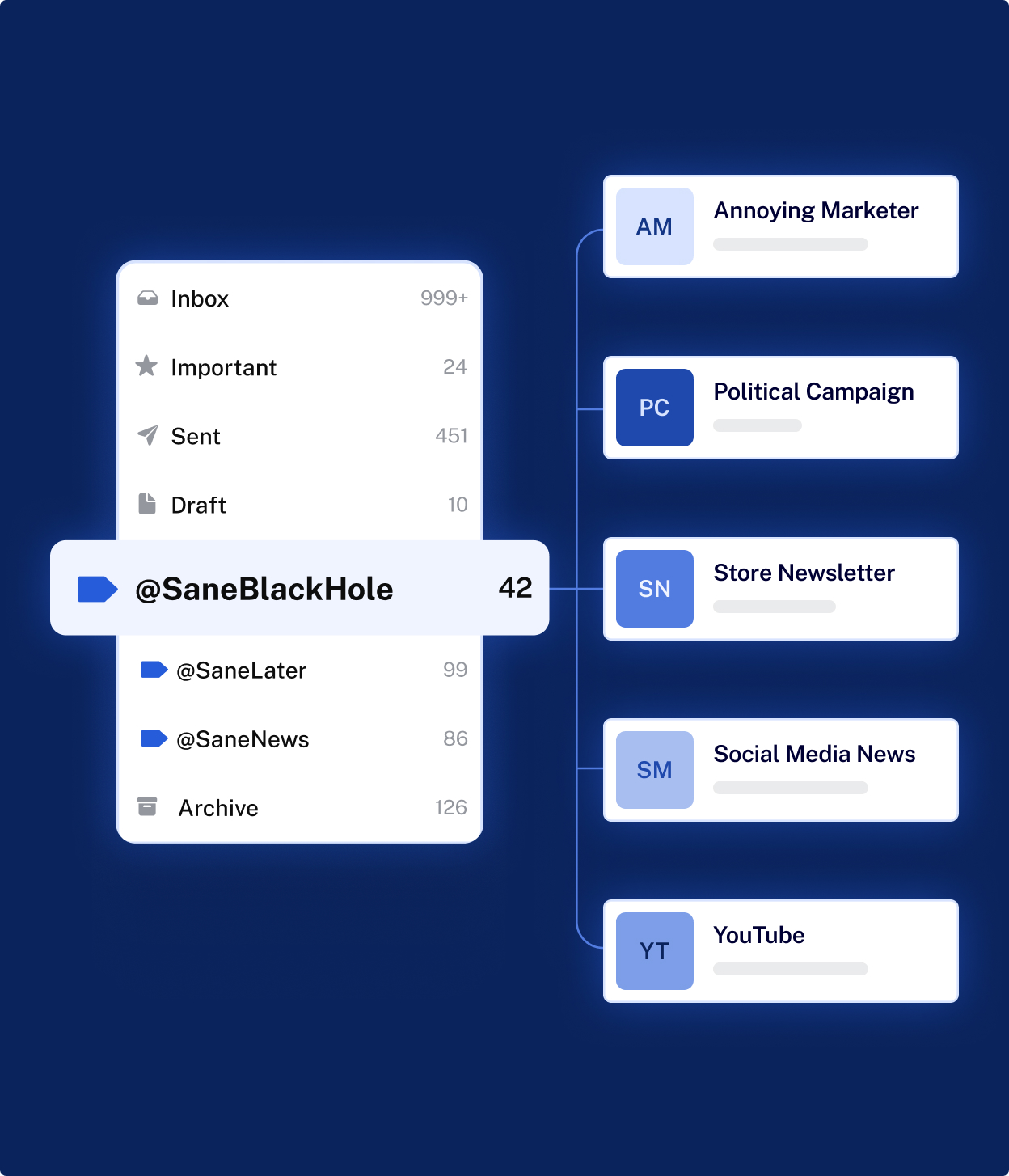
SaneBlackHole trains the service to filter a sender you no longer want to see. Treat it more cautiously than SaneLater: official help describes messages eventually moving to Trash. This is sender filtering, not proof that a mailing-list operator has removed your address. Avoid using it for a mixed-purpose sender that also delivers receipts or account notices.
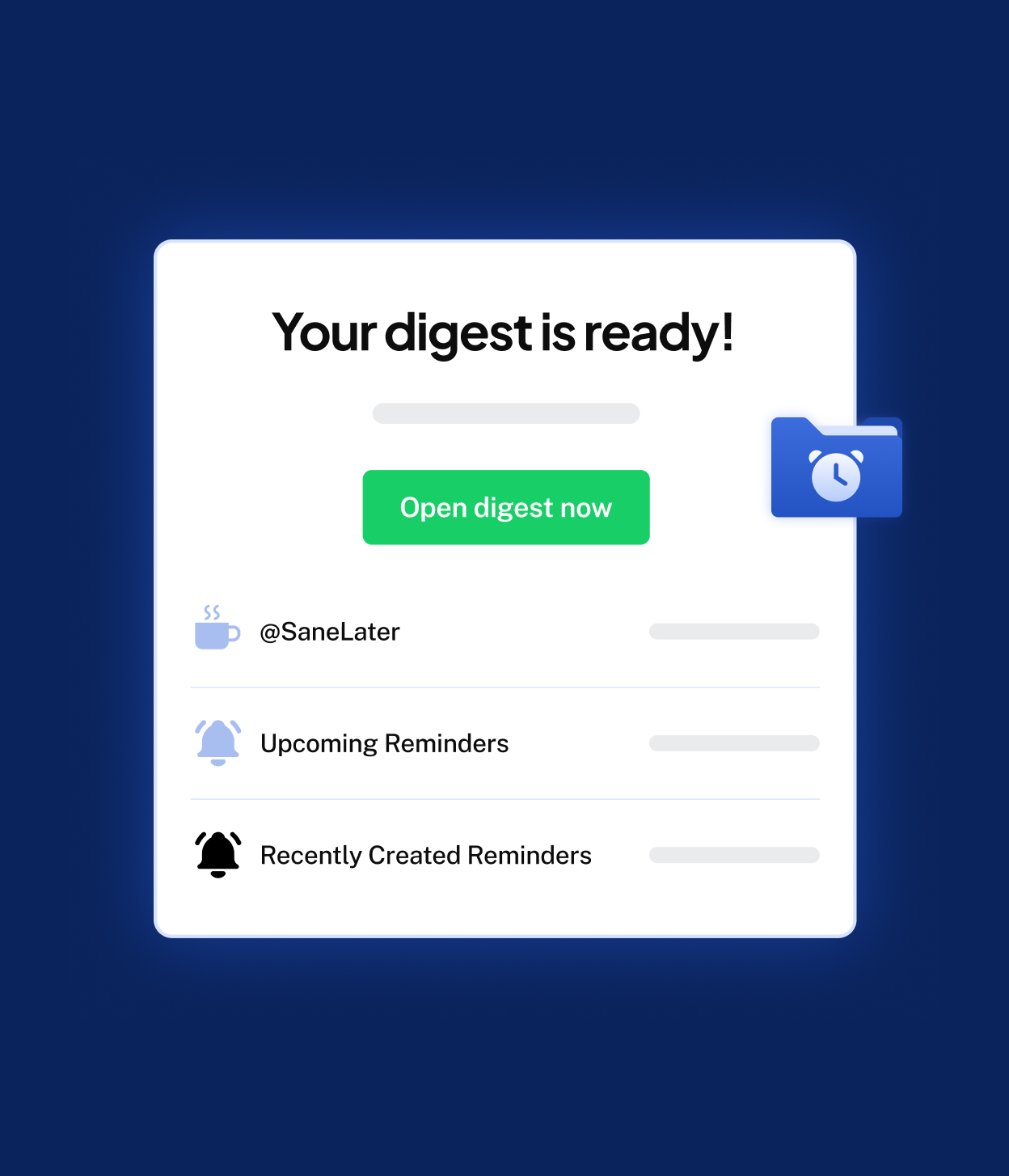
SaneReminders can nudge you when a recipient has not replied by a chosen time. The Daily Digest helps you review unopened lower-priority mail. Our preference would be to establish reliable sorting first, then add follow-up tools when there is a specific task they improve. Activating everything at once makes it harder to understand where a message went.
Choose the plan by accounts and selected features
The official pricing material distinguishes Snack with one email account and two selected features, Lunch with two accounts and six selected features per account, and Dinner with four accounts and all features. Included productivity tools sit alongside those feature allowances. Count the mailboxes and tools you actually need before comparing subscriptions.
For one personal inbox, a larger plan needs a clear reason. For separate work and personal mail, the account allowance may matter more than an impressive feature list. Compare the amount due now, billing interval, renewal terms, and any applicable tax at checkout; an advertised monthly equivalent for a prepaid term is not a monthly bill. We would avoid a long commitment until the sorting has proved useful in your own routine.
Mailbox access deserves a deliberate decision
SaneBox says its importance analysis uses message headers and behavioral patterns; optional features may retrieve message bodies without storing them. Its security page describes encrypted credentials and OAuth tokens. This is more nuanced than saying the service never accesses any email content.
You are still authorizing a third party to work inside your mailbox. For a work account, check your employer’s policy and administrator requirements before connecting it. For personal use, inspect the permissions and the method for revoking access. Security statements describe the company’s approach; they do not remove the need to decide whether this access is appropriate for your account. SaneBox should also sit alongside your existing spam and account-security protections.
What customer feedback adds
Recent U.S. customer accounts on Trustpilot praise a more manageable inbox and the usefulness of reviewing lower-priority mail together. Other accounts describe login or support frustrations; one reviewer liked the service but wanted a plan between Lunch and Dinner and a more modern interface. These are individual reports, not a measured success rate.
The useful lesson is to evaluate both sorting and account management during the trial. Confirm that you can locate filtered mail, understand the selected features, and find help when something is unclear. Enthusiastic time-saving stories cannot tell you how much time your own mailbox will save, particularly if you already maintain effective rules.
U.S. trial, cancellation, and refunds
Current official pages advertise a seven-day trial with no credit card required, despite older third-party reviews mentioning longer trials. Treat the trial as a short evaluation window: check the actual offer shown at signup and test your normal mail workflow before it expires. As a digital service, the practical setup questions are account compatibility and authorization rather than delivery or physical returns.
Official cancellation help separates ending the account from requesting money back. Cancellation does not automatically refund an unused subscription balance. Eligible purchases have a 30-day money-back guarantee, for which you must contact support. You can choose to keep the SaneBox folders or remove them; the help page says folder removal returns their mail to the inbox. Review that choice before confirming, especially if substantial mail has accumulated.
Our verdict: test the workflow before prepaying
SaneBox makes the strongest case for a busy individual who wants fewer interruptions while keeping an existing email setup and is willing to maintain a review habit. Its value depends on the quality of that workflow, not the number of AI features enabled.
Pause if your inbox is already manageable, your organization restricts mailbox integrations, or you expect every urgent message to be identified without supervision. During the trial, note the corrections you make and whether the daily check feels easier than your previous routine. Subscribe only if the combination of quieter mail, acceptable access, and the right feature allowance earns its recurring cost.
Before you order
Check the exact model, current price, return terms, and manufacturer instructions. Save the listing and order details so you can refer to them later.
Explore the brand guide ↗