
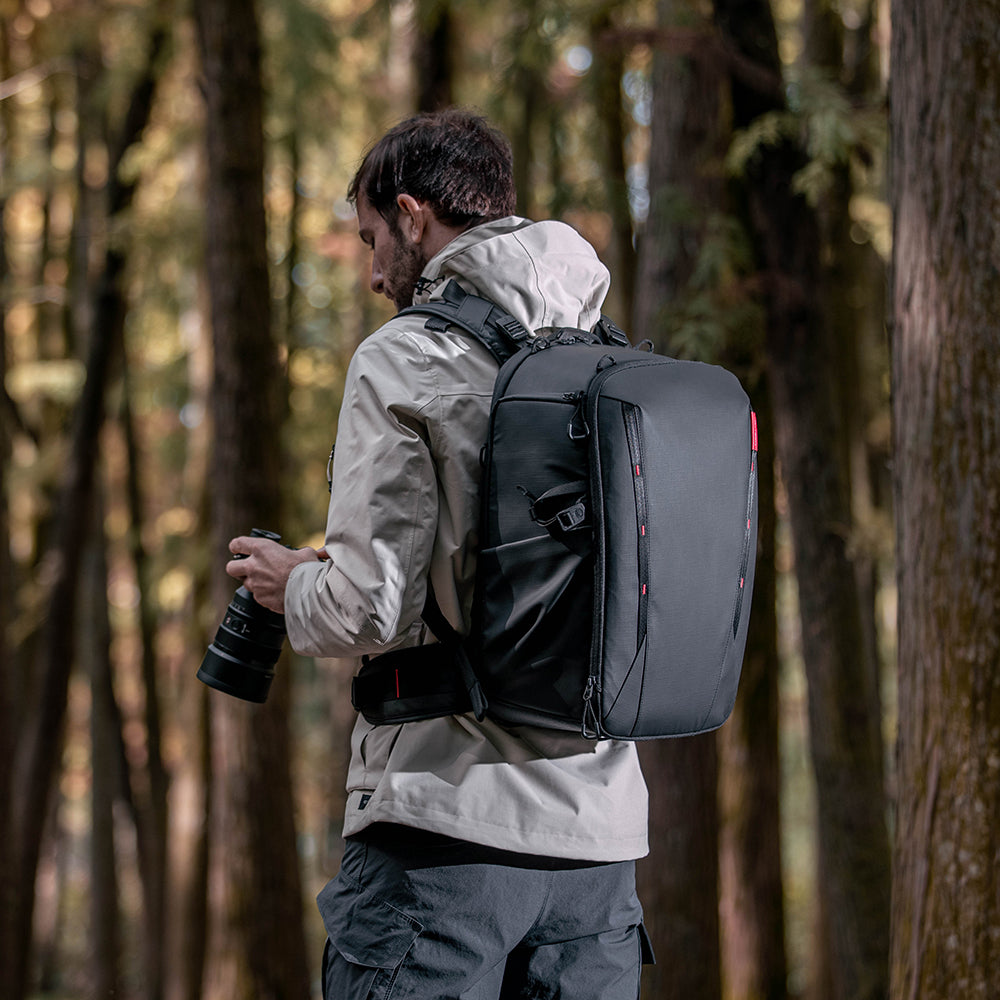
We review current product information, care guidance, and purchasing considerations to help you compare options. Always confirm the final specifications, price, and retailer policies before ordering.
In this guide
Our take: buy around the kit you carry
PGYTECH deserves a place on a camera-bag comparison list when organizing several pieces of equipment matters more than keeping the bag itself light. Its catalog spans bags, camera accessories, phone gear, and action-camera equipment. This review concentrates on the OneMo 2 backpack rather than giving every accessory the same recommendation.
This is a research-based review for U.S. readers, drawing on official listings, purchase policies, and public owner and reviewer accounts. We have not carried these bags or tested their protection, comfort, or durability. Simply Room may earn a commission through links in this article.
Our strongest reason to consider the brand is the prospect of a more deliberate packing layout. Our biggest reservation is buying a larger, more elaborate bag than your normal shooting day requires. A useful compartment earns its weight only when you actually use it.
OneMo 2: organization has a carrying cost
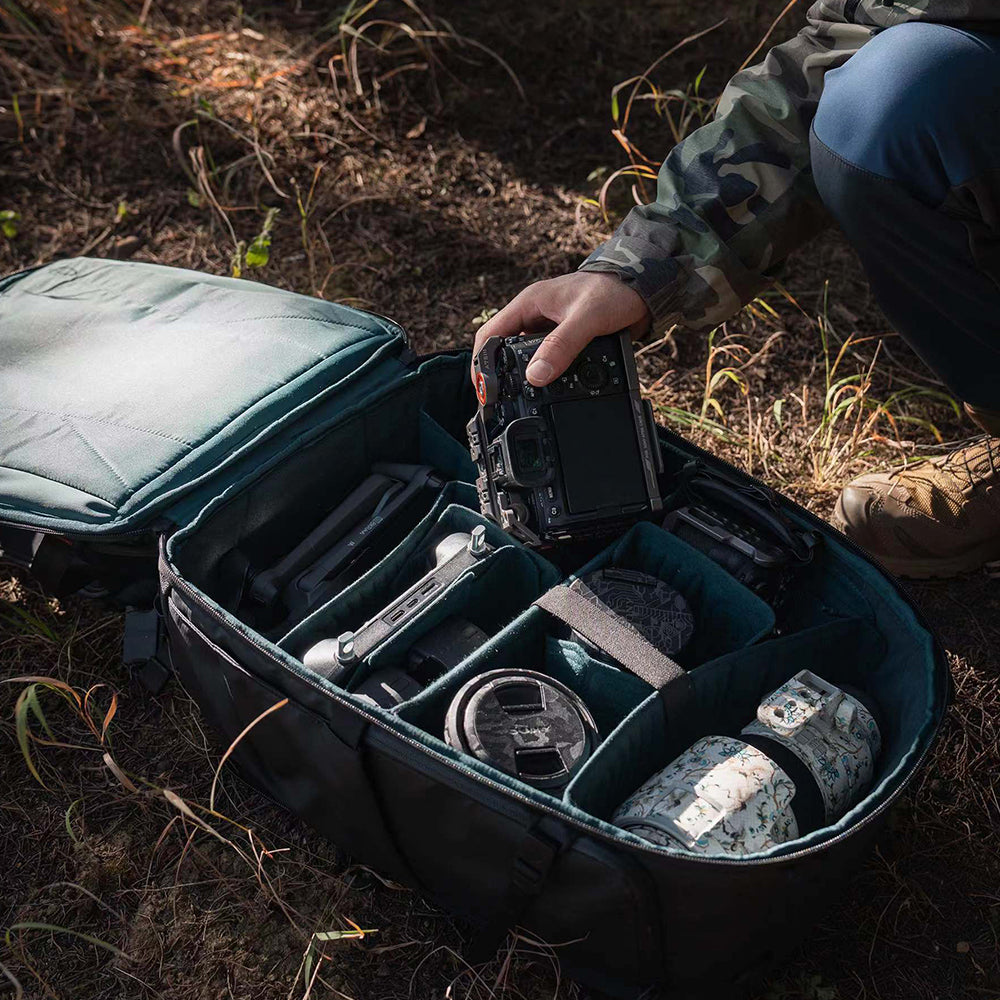
The official OneMo 2 listing offers 25L and 35L versions, a separate shoulder bag, adjustable internal dividers, and a rear opening for packing. Access differs: the 25L has two right-side access points; the 35L combines top and right-side access. Check the chosen version rather than relying on the shared product description.
For the 25L backpack, PGYTECH lists 2.11kg, or 4.65lb, with partitions, before adding camera equipment. The specification labels water resistance as splash-proof. Neither that wording nor the outdoor imagery establishes waterproof protection.
Those details favor photographers carrying a substantial kit between locations. For one camera and a small lens, we would compare a smaller bag first. Think about the weight you will lift onto a shoulder repeatedly, as well as how neatly everything fits when the bag is lying open.
Check fit before planning a flight or a full day out
Lay out the exact camera bodies, lenses, charger, laptop, and personal items you need. Measure awkward shapes with their cases and attached accessories. A capacity in liters does not settle whether your preferred arrangement leaves a camera accessible.
For air travel, compare the packed bag with your airline’s current size and weight allowance. Expansion, an attached tripod, and a full front compartment can change the practical result. Do that comparison yourself even when a product FAQ makes a broad claim about taking the bag on a plane.
An indoor fit check is useful before committing to a shoot: adjust the straps, confirm access with your chosen divider layout, and notice whether the bag moves comfortably against your torso. Keep the packaging until you have established whether the size works for you.
Feedback: layout wins praise; bulk still matters
On PGYTECH’s product page, owners praise the organization and adaptable storage. One owner who bought both sizes found the 35L too large for everyday use and preferred the 25L’s size while questioning its access arrangement. These are merchant-hosted anecdotes, with no guarantee that another reader will share the same fit.
In his first-person 35L review, New York photographer Shawn Bruce describes replacing a two-container setup for larger jobs and appreciating the dividers and rear access. He also finds swinging the loaded bag around for side access awkward, and the expansion arrangement somewhat cumbersome. His account covered a handful of projects, so it does not establish long-term durability.
That combination supports a narrow recommendation: the layout can be valuable for substantial photo and video kits, but convenience while packing is different from convenience while walking or reaching for a camera. Neither account establishes how PGYTECH’s U.S. customer service will handle your order.
U.S. shipping: separate stock status from transit time
The dedicated Shipping Info page lists free standard delivery for in-stock U.S. orders from a local warehouse, estimated at two to seven business days. It separately allows one to three business days for processing, excludes preorders from that processing estimate, and says delivery estimates are not guaranteed.
During research, the OneMo 2 page displayed a late-November availability notice. Confirm the selected variant’s actual stock status before relying on local-warehouse transit estimates, particularly for a scheduled trip or paid assignment.
For China-origin shipments, PGYTECH says customers bear import duties and customs charges unless checkout specifies otherwise. Confirm dispatch origin and the final delivered cost. A separate shipping-policy page also contains different dispatch wording, so a written estimate for your actual order is more useful than combining promises from different pages.
Returns and warranty are different decisions
The page titled Lifetime Warranty Policy actually sets out a 30-day return and exchange policy. It requires the original packaging, accessories, and included materials; missing items or reduced resale condition can lead to rejection or a smaller refund. Clearly marked clearance or final-sale items are excluded. Contact support for authorization and shipping instructions before sending anything back.
PGYTECH states that it charges no restocking fee, but preference returns and exchanges carry customer-paid shipping, including shipping the new item for an exchange. Defective or incorrect items receive different treatment. That makes ordering both sizes to compare potentially expensive even when a return is accepted.
The separate Returns, Repair & Replace page lists limited lifetime coverage for bags and filters, three years for specified camera-support accessories, and one year for categories including action-camera and drone accessories. Coverage addresses eligible functional defects under normal use, with exclusions; it is not a promise to replace worn fabric indefinitely. Retain dated purchase evidence and the product’s anti-counterfeit code. Confirm your exact item’s coverage and obtain written instructions for any claim.
The verdict: a shortlist for organized camera travel
PGYTECH is worth considering when you can identify a specific packing or access problem that its layout solves. For a larger working kit, the OneMo 2 offers a credible organizational proposition. Choose the size around the equipment you carry most often, leaving some room for essentials without automatically choosing the biggest option.
Pause if low empty weight is your priority, you need a guaranteed arrival date, or you expect a free trial with prepaid preference returns. We would also avoid extending a backpack verdict to a card reader, phone grip, or mounting system without checking that product independently.
Before paying, compare a simpler bag at a similar delivered price, confirm availability, and budget for return shipping if fit remains uncertain. The right purchase is the bag whose organization helps during a real shooting day, including the walk home.
Before you order
Check the exact model, current price, return terms, and manufacturer instructions. Save the listing and order details so you can refer to them later.
Explore the brand guide ↗